
Download XOverse – tic-tac-toe, game, strategy, puzzle, multiplayer, android, fun, brain teaser, classic game, logic
Overview
XOverse reimagines the timeless classic of Tic-Tac-Toe, transforming it into a dynamic and evolving experience tailored for modern smartphone users. Designed by XOverse Studio, the app introduces a fresh approach to a game known for its simplicity, offering a suite of innovative modes that elevate strategic depth and replayability. The primary purpose of XOverse is to provide players with a customizable, engaging, and intellectually stimulating alternative to standard versions of Tic-Tac-Toe.
It caters to a broad audience, from casual users seeking light entertainment to seasoned players looking for complex challenges. The app addresses the common issue of repetition in classic games by introducing varied mechanics such as Cycle Mode and Quantum Mode, ensuring that no two sessions feel identical. Real-world use cases include quick gameplay during breaks, social interactions during gatherings, and mental exercises for logic and pattern recognition.
In the mobile gaming ecosystem, XOverse stands out by breathing new life into a well-known format, proving that even the most familiar games can be reinvented with creativity and purpose. The developer did not provide additional technical details about the studio’s background beyond the name.
Key Features & Functionality
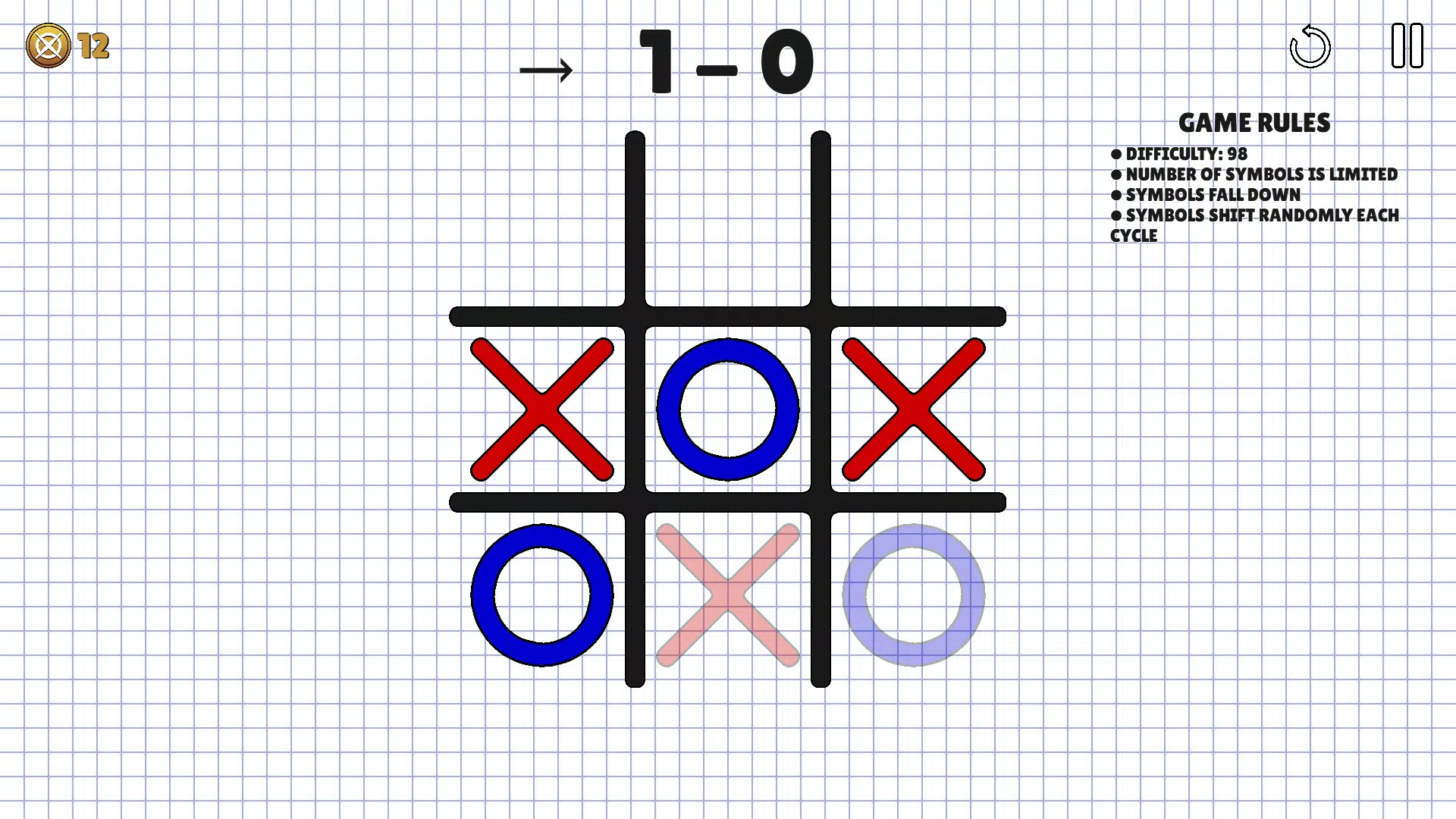
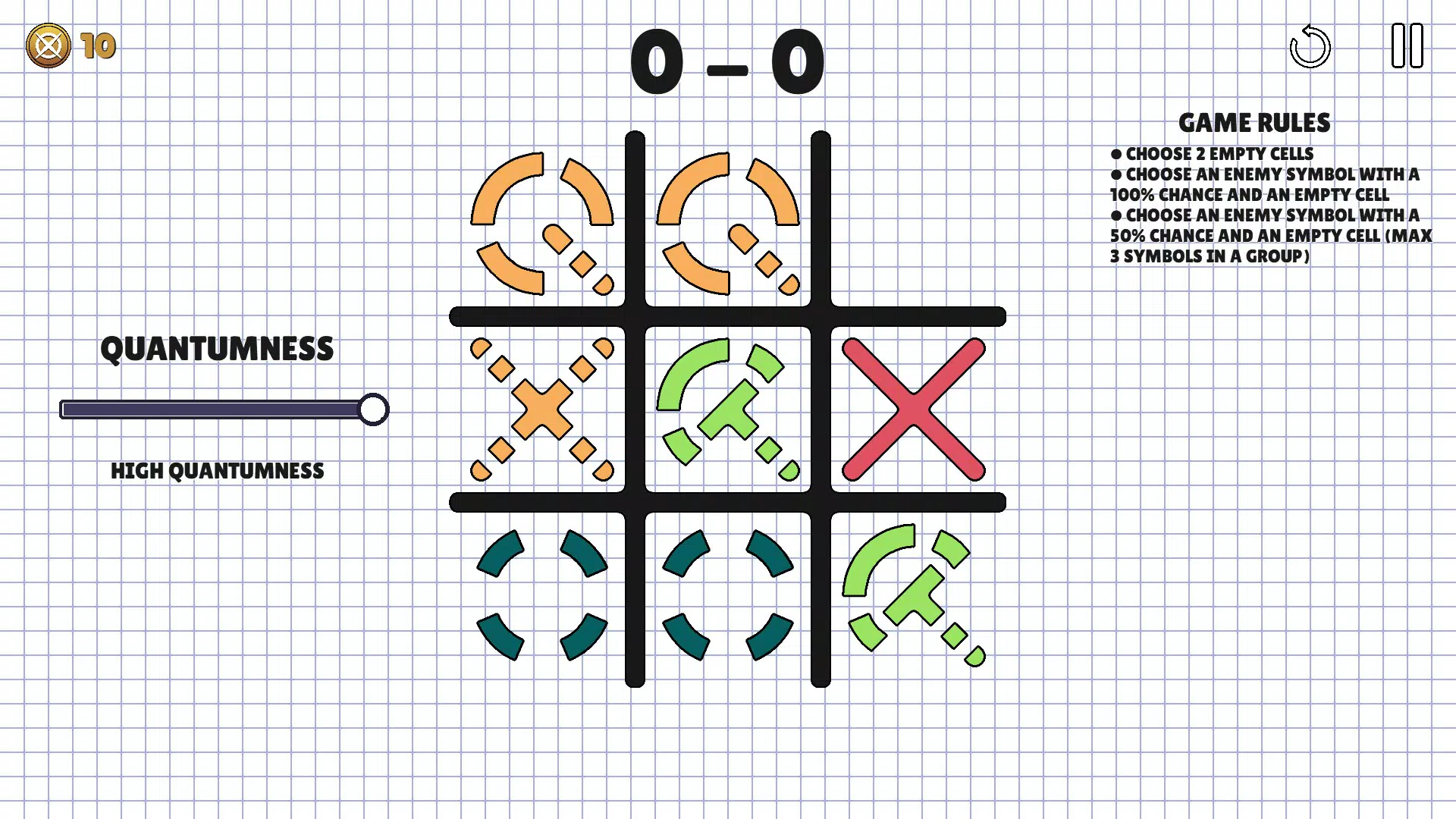
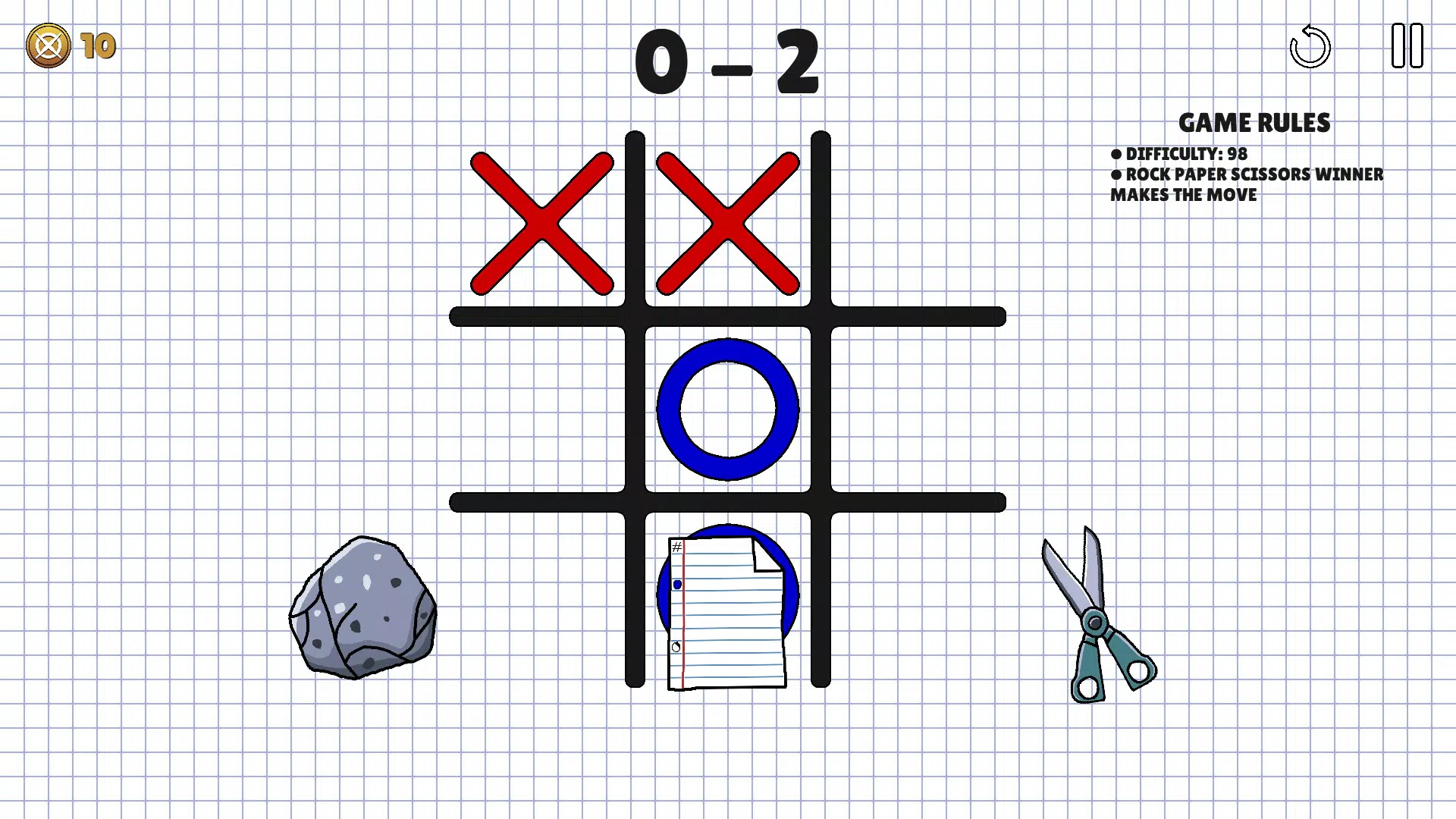
- Diverse Game Modes: XOverse offers multiple gameplay variants, including Classic Tic-Tac-Toe, Cycle Mode, and Quantum Mode. Each mode introduces unique rules—such as shifting board positions or probabilistic moves—adding layers of unpredictability and strategy. This variety ensures that players are not limited to a single rule set, encouraging adaptability and creative thinking.
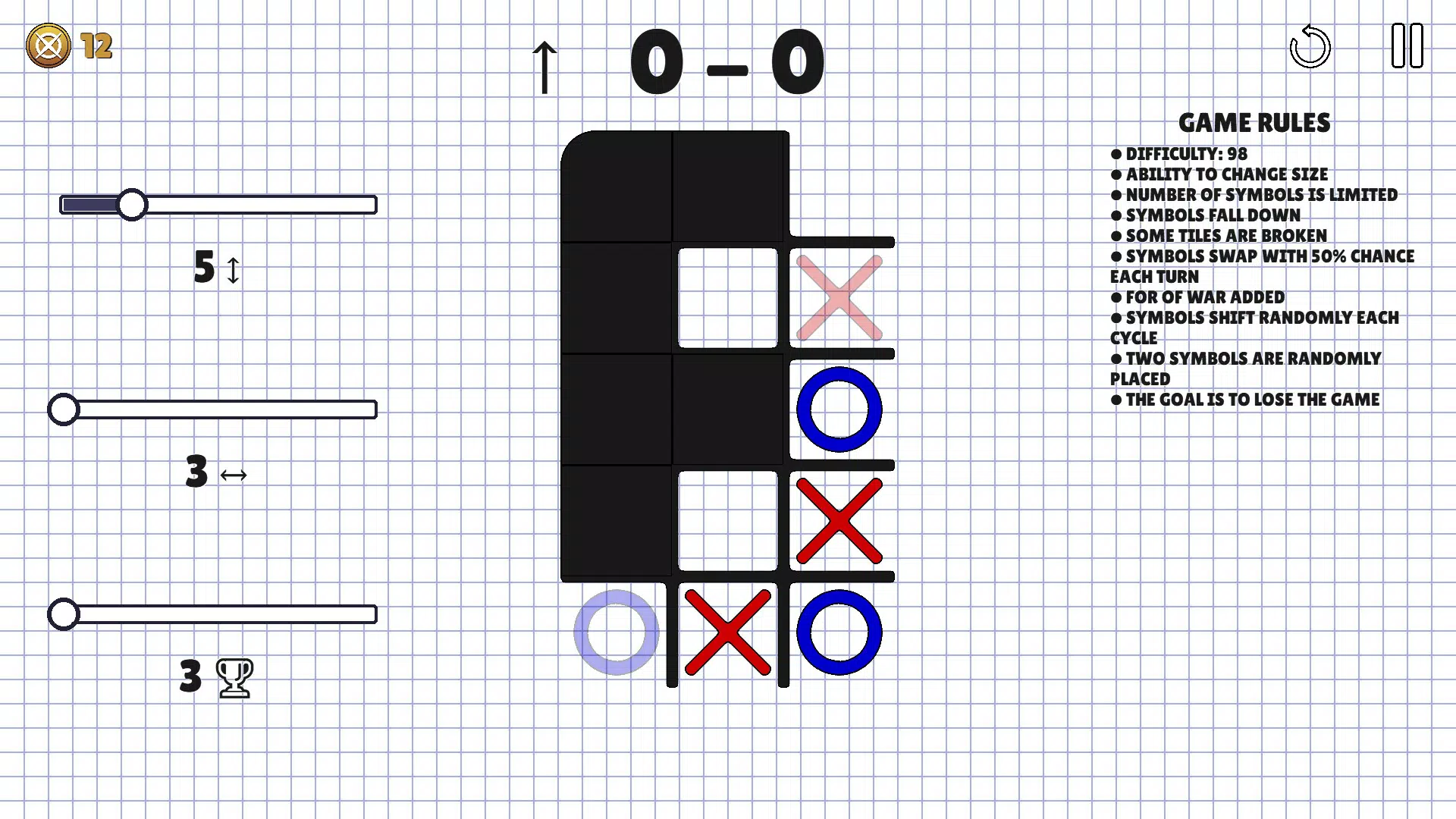
- Customizable Experience: Users can adjust board sizes and combine different modes to create personalized gameplay sessions. This flexibility allows players to tailor the difficulty and style of each match, whether they prefer traditional 3x3 grids or larger, more complex layouts.
- Multi-Mode Challenges: The ability to mix multiple game modes simultaneously creates a hybrid experience that tests advanced planning and situational awareness. This feature is ideal for players who enjoy layered strategy and want to push beyond conventional gameplay boundaries.
- Visually Engaging Interface: The app features a sleek, modern UI with smooth animations and vibrant design elements. These visual enhancements contribute to a polished and immersive experience, making gameplay more enjoyable and visually rewarding.
- Competitive Fun for All: Whether playing against AI opponents or friends locally, XOverse supports multiple engagement styles. The variety of modes allows for both relaxed play and intense competition, making it suitable for solo sessions or group events.
For example, a user might choose Quantum Mode with a 5x5 board for a high-stakes solo challenge, while another might opt for Classic Mode with friends to enjoy a nostalgic, fast-paced match. These use cases demonstrate how XOverse adapts to different preferences and contexts.
Interface, UX & Performance
The user interface of XOverse is clean, intuitive, and well-organized, prioritizing ease of navigation and visual clarity. The layout places core game controls within easy reach, with clearly labeled options for selecting modes, adjusting settings, and starting matches. Visual feedback is immediate—moves are animated smoothly, and transitions between game states are seamless.
The design language emphasizes minimalism with a touch of vibrancy, using color and motion to guide attention without overwhelming the user. Navigation is straightforward, with a logical flow from menu to gameplay and back. Although the developer did not list formal performance metrics, the app’s 14.8 MB size suggests efficient resource usage, and the absence of reported lag or crashes indicates stable operation across various device categories.
Responsiveness is consistent, with input registering quickly and game states updating in real time. The app appears optimized for both older and newer Android devices, though specific hardware requirements were not disclosed. Stability during extended sessions has not been publicly documented, but the polished interface and smooth animations imply a reliable user experience.
Overall, XOverse delivers a professional-grade UX that supports both casual and strategic play.
Platform Compatibility & Technical Requirements
XOverse is available exclusively on the Android platform. The current version is 1.0.0, with a file size of 14.8 MB, making it lightweight and suitable for devices with limited storage. The app is free to download and install, with no in-app purchases or ads mentioned in the provided information.
The developer did not specify minimum OS requirements, nor did they list supported screen resolutions or hardware capabilities. Compatibility information was not fully disclosed, so users should ensure their devices meet general Android standards for app installation. The release date is September 5, 2024, indicating that XOverse is a recent entry in the mobile gaming space.
As a new release, it may receive future updates to improve performance, expand features, or address compatibility issues. Users are encouraged to keep the app updated to access the latest improvements and maintain optimal functionality.
Pros and Cons
- Reimagines a classic game with innovative gameplay modes
- Highly customizable board sizes and game combinations
- Visually appealing and smooth interface
- Free to download and install
- Supports both solo and multiplayer play
- Specific system requirements not publicly listed
- No information on long-term performance or update frequency
- Android-only availability limits cross-platform access
- Developer background not detailed beyond the studio name
- No mention of cloud saves or progress syncing
FAQ
Is XOverse free to download and play?
Yes, XOverse is available at no cost. There are no in-app purchases or advertisements mentioned in the provided details.
Can I play XOverse offline?
While the developer did not specify, the app’s lightweight design and focus on local gameplay suggest it can be played without an internet connection.
Is XOverse available on iOS?
Based on the provided information, XOverse is currently only available on the Android platform.
How often are updates released for XOverse?
The release date is September 5, 2024, but no information was provided about the update schedule or frequency.
Is my game progress saved between sessions?
The developer did not disclose whether data is stored locally or synced across devices.
Final Thoughts
XOverse successfully revitalizes the classic Tic-Tac-Toe formula by introducing depth, variety, and visual polish. Its diverse game modes, customization options, and strategic complexity make it more than just a simple puzzle game—it’s a modern evolution of a timeless pastime. The app appeals to players of all levels, offering both casual fun and challenging mental exercises.
With its free pricing model and lightweight design, it’s accessible to a wide audience. Whether you're looking for a quick brain teaser or a competitive session with friends, XOverse delivers a refined and engaging experience. The clean interface and smooth performance enhance usability, while the innovative mechanics keep gameplay fresh.
For anyone seeking a smarter, more dynamic take on a classic game, XOverse is a compelling choice. Download XOverse now.


